
Agents, brokers, property managers, and real estate marketers.
Dedicated AI flyer workspace
Real estate flyer maker for listings and open houses
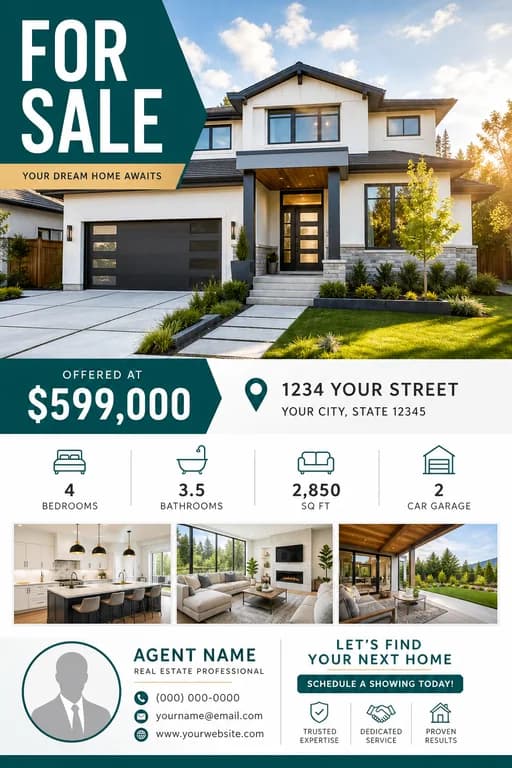
Create a property flyer that highlights the home, price or offer, location, showing details, agent contact, and next step.
Prompt prefilled Upload references Refine in chat
Real Estate Flyer Maker workspace
Describe it or add a referenceStart with the prepared brief, replace the bracketed details, or write your own. Results may contain text errors; verify names, dates, prices, addresses, and contact details before publishing.
Use a guided workspace and property-focused prompts to organize a listing or open house flyer before generation.
Use a large photo area · Keep agent details in the footer · Use a clean print-friendly layout
Real AI-generated references
Real Estate Flyer Maker examples to start from
Review these existing flyer directions, open one for its full prompt, or use the workspace above to create a new real estate flyer from your own details.



Ready-to-use briefs
Start your real estate flyer with a focused prompt
Choose a direction below to reload this workspace with that brief, then replace the example details with your own.
Just listed flyer
Create a just-listed real estate flyer with large property photo, price, neighborhood, four feature bullets, agent contact footer, and schedule-a-tour CTA.
Use this promptOpen house flyer
Create an open house flyer with date, time, address area, property highlights, agent details, QR code space, and a clear visit-this-weekend CTA.
Use this promptAgent promo flyer
Create a real estate agent flyer promoting listing services with agent photo space, recent sales, credibility points, phone number, website, and contact CTA.
Use this promptPlan before generating
What to include in your real estate flyer
A focused brief gives the model a clearer hierarchy. Add the essential copy first, then describe the look, audience, and destination format.
Create a real estate flyer- 1Property type
Identify the property precisely, such as a condo, townhouse, single-family home, or commercial space.
- 2Price or offer
Show the listing price or offer status prominently, and use accurate qualifiers such as starting at or offers from.
- 3Location or neighborhood
Include the address when appropriate and add the neighborhood or nearby landmark that helps buyers orient themselves.
- 4Top features
Choose three to five verifiable selling points, prioritizing beds, baths, size, renovations, and standout amenities.
- 5Agent contact
Include the agent name, brokerage, direct contact method, and any license details required locally.
One workspace, three steps
From brief to finished real estate flyer
- Step 1
Add your inputs
Use the prepared prompt, enter your real details, and optionally upload a logo, photo, or style reference.
- Step 2
Generate the design
AI FlyerMaker turns the brief into a composed flyer image instead of asking you to arrange every layer.
- Step 3
Refine in chat
Ask for a clearer headline, different colors, a stronger CTA, corrected details, or another aspect ratio.
Questions, answered
Real Estate Flyer Maker FAQ
What should a real estate flyer include?
Include a strong property photo, price or positioning, location, key features, open house details, agent contact information, and a clear CTA.
Can I make open house flyers?
Yes. Add the open house date and time, address area, property highlights, agent contact details, and a visit or schedule-tour CTA.
How do I keep a real estate flyer easy to scan?
Lead with one strong property photo, then group the price, location, key features, open house details, and agent contact information into clearly separated blocks.