Party Flyer Maker & AI Generator

Create party flyers for birthdays, DJ nights, concerts, and celebrations, then refine every detail through chat.

Midnight DJ session party flyerNeon eighteenth birthday party flyerElectric Night Festival party flyerPink Sweet Sixteen birthday invitation flyerLive Wave music event flyer

AI party design in action

Describe the party. Refine it. Perfect it.

Create a party flyer from your event details, then tell AI what to change. No design skills needed.

Illustrative conversation with example designs, not a recorded editing session. Results vary.

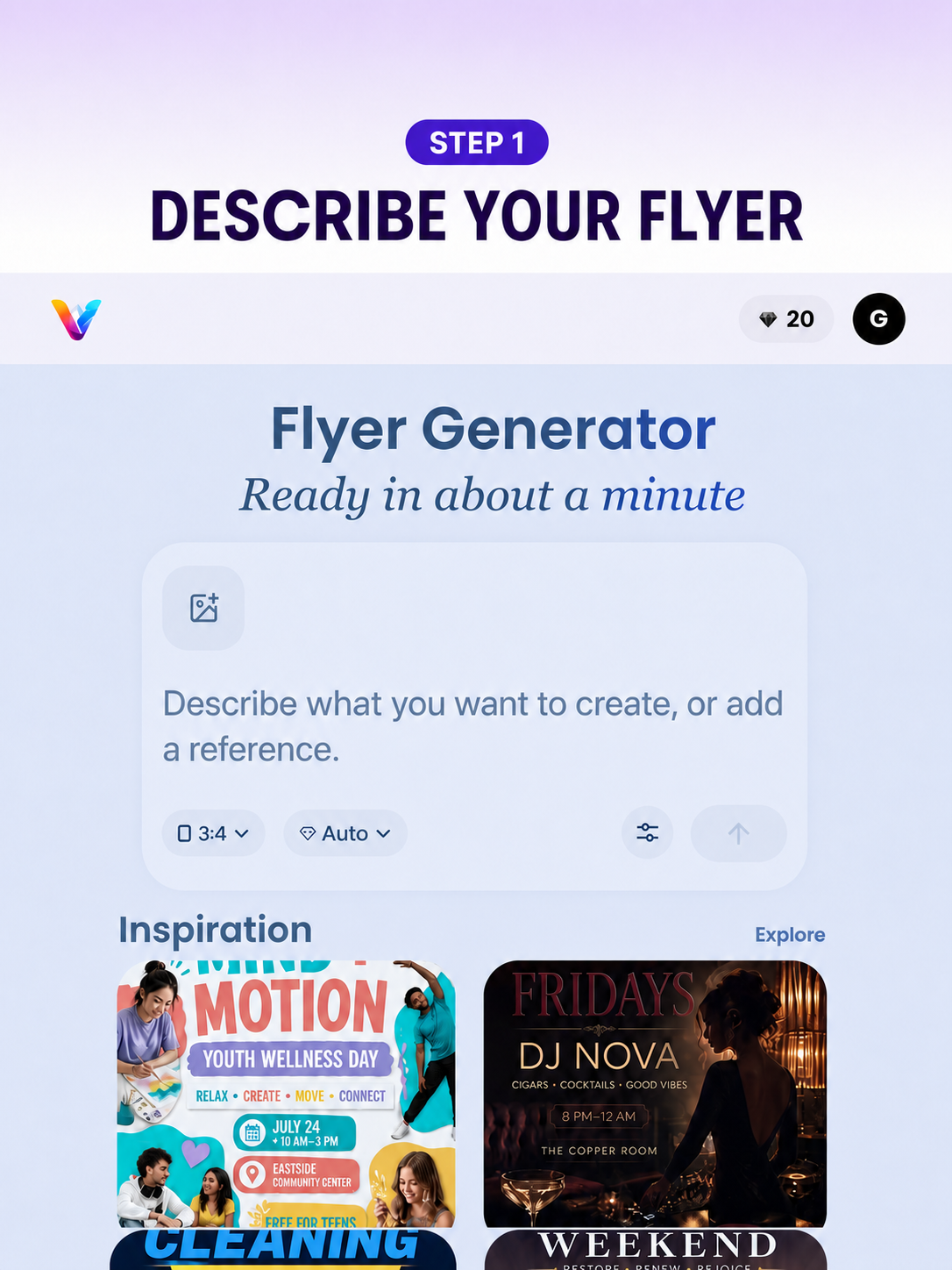
  1. 1. Share your eventAdd the party details
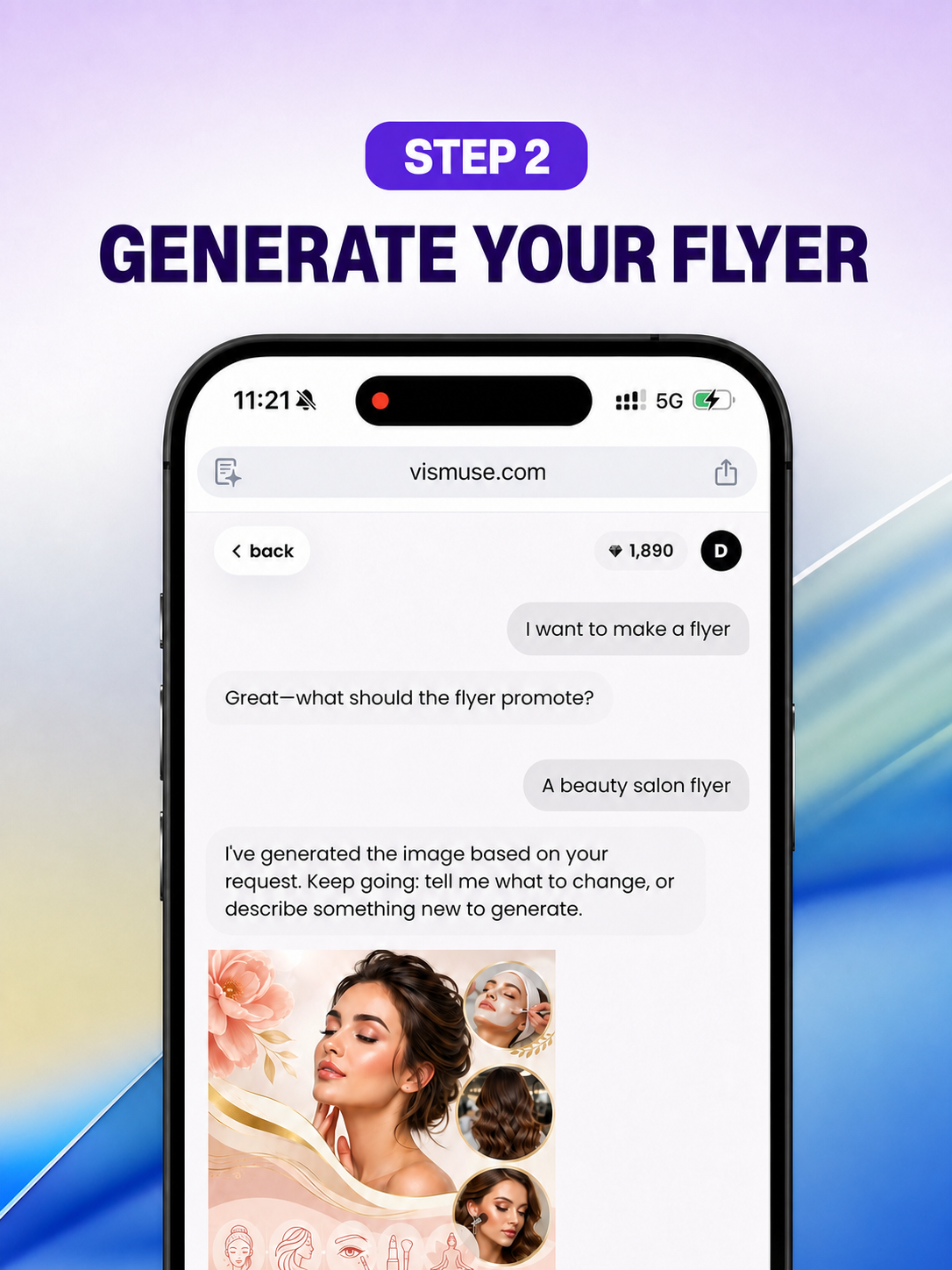
  2. 2. Get your first draftAI turns the brief into a flyer
  3. 3. Refine with wordsAsk for focused changes
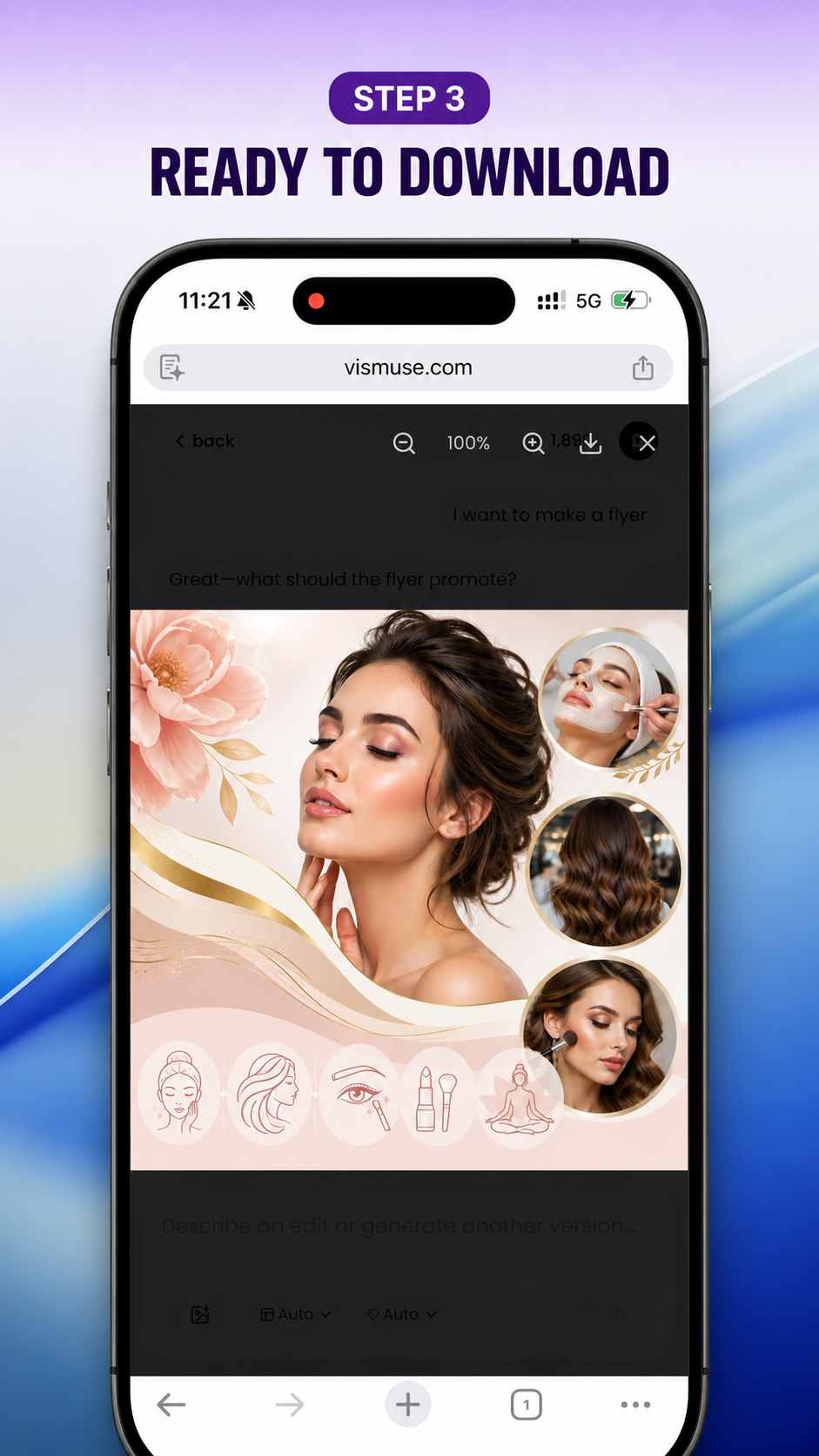
  4. 4. Download and promoteYour party flyer is ready
back1,890D

Create a vertical teaser flyer for Live Wave, an electronic music event. Use deep navy, electric blue, cream, and a glowing orange center. Include Saturday at 8 PM, The Foundry, and tickets on sale.

I've generated the first direction. Tell me what you want to change.
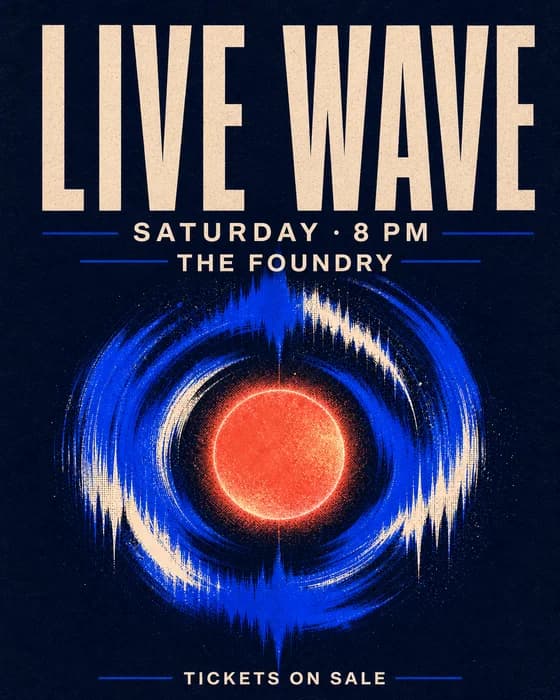
Live Wave electronic music teaser flyer example

Turn it into the full Electric Night Festival announcement for August 24 at Neon City Arena. Add a large neon stage, crowd energy, the DJ lineup, 18+ entry, doors at 5 PM, and $39 early-bird tickets.

Done — I expanded the teaser into a full festival flyer and emphasized the lineup, venue, and ticket price.
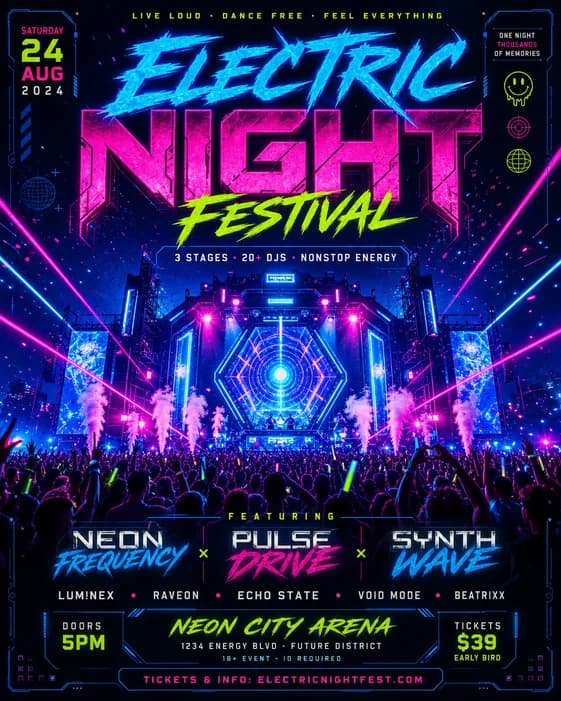
Neon Electric Night Festival party flyer example
Example design A
Live Wave electronic music teaser flyer example
Example design B
Electric Night Festival party flyer example with neon colors and ticket details
Try telling AI things like:
Make it feel more premium Change it to purple and gold Add the venue logo Make it square for Instagram Emphasize the ticket price See party flyer templates

Workflow illustration using existing example designs and fictional party details. Request edits through chat, not manual layers.

Create and refine your party flyer

How to make a party flyer with AI FlyerMaker

Start designing now
AI FlyerMaker flyer prompt field displayed on a mobile device for a party flyer brief
AI-generated flyer displayed in the AI FlyerMaker chat workflow on a phone
Finished AI flyer ready to download from AI FlyerMaker on a mobile phone

Browse AI Party Flyer Templates

Browse all flyer templates

Choose the workflow that fits

Chat-based party flyer creation, not another drag-and-drop editor

AI FlyerMaker is for hosts, DJs, venues, and event teams who would rather describe the result than arrange layers. Traditional editors remain useful when exact element placement matters most.

TaskAI FlyerMakerTraditional editors
Starting pointDescribe the party, audience, event details, CTA, and visual mood.Choose a party template or start on a blank canvas.
Making changesAsk for a larger date, brighter colors, stronger ticket CTA, or new format.Select and adjust text, images, colors, and layers directly.
Precise controlBest for creative direction and fast natural-language revisions.Best for pixel-level placement and detailed layer control.
Using it on a phoneDescribe, review, revise, and download without managing layers.Dragging and aligning elements can require more screen space.
Best fitYou know the party feeling and information hierarchy you want.You know the exact layout and want to control each element.

Choose AI FlyerMaker to move from a rough event brief to a finished party flyer through conversation. Choose a traditional editor when exact layer-by-layer production control is the priority.

Try the chat-based party flyer maker

Party Flyer Maker FAQ

What is an AI party flyer generator?

An AI party flyer generator turns an event brief into a designed promotional image. You describe the party, audience, required details, visual mood, and format; AI FlyerMaker creates a first direction that you can continue refining through chat.

Can I make birthday, DJ, and nightclub flyers?

Yes. The same workflow can create birthday invitations, DJ and nightclub flyers, live music posters, rooftop party graphics, holiday events, house parties, and community celebrations. The more specific your event details and art direction are, the more useful the first draft will be.

What should I write in a party flyer prompt?

Include the event name, date, time, venue, ticket or RSVP action, audience, performers, dress code, age restriction, visual style, colors, image subject, and destination format. Mark the two or three details that should receive the strongest emphasis.

Can I edit the flyer after it is generated?

Yes. The generation opens in an AI FlyerMaker session where you can ask for changes in natural language. You can request a clearer date, a larger price, a different palette, a new visual direction, or a simpler layout without starting the brief again.

Will all of the text be accurate?

Not always. Image models can make spelling and text-layout mistakes. Treat the result as a design draft and verify every important detail, especially dates, times, prices, addresses, URLs, phone numbers, artist names, and entry rules.

What is the best size for a digital party flyer?

A 4:5 portrait layout is a practical default for social feeds, while 9:16 works for stories and status posts. Use 1:1 when you need a compact square asset. For print, ask for a portrait composition and check the final dimensions and bleed with your printer.

Can I use my party flyer commercially?

You can use flyers created with AI FlyerMaker for event promotion and commercial projects, subject to the current AI FlyerMaker terms. Make sure you have permission to use any uploaded logos, photos, performer likenesses, and third-party brand assets.

More Flyer Tools and Guides