
Flyers and promotions
How to make a flyer with AI
To make a flyer with AI, describe what you are promoting, provide the exact headline and details, and choose a style. Generate a draft, check the wording, then ask for changes in chat. You can start from text, a reference image, or a flyer template.
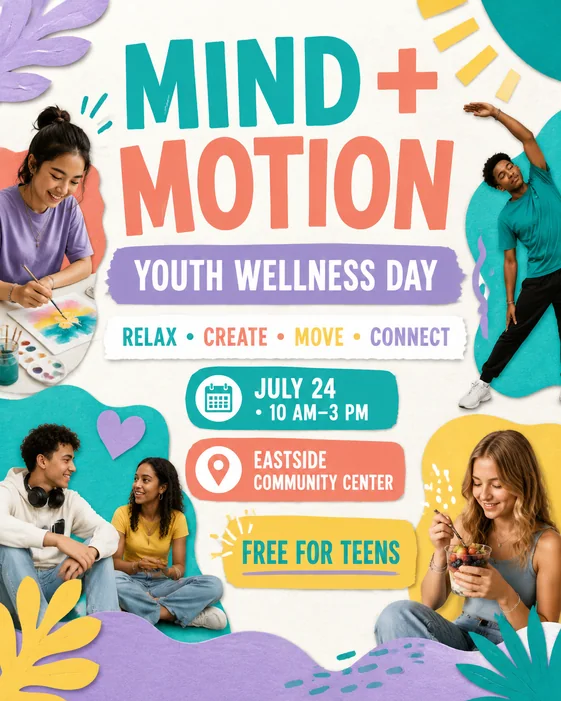
1. Decide what your flyer needs to say
Use this workflow for real estate open houses, local services, event announcements, parties, offers, sales, and community promotions.
It is most useful when the visual has to balance imagery, message hierarchy, and practical information such as time, place, offer, or audience.
For real estate flyers, birthday flyers, business flyers, and event flyers, the strongest prompts usually start with the purpose of the flyer before listing colors, decorations, or background details.
2. Write your AI flyer prompt
Start from an event brief, property detail, business offer, invitation idea, or service promotion. Include the audience and any must-have details, but keep the most important message first.
- Purpose and audience
- Exact headline, date, time, location, and price
- Contact details and call to action
- Style, colors, and portrait or square format
- Optional photo, logo, or reference image
AI flyer prompt examples
Business flyer prompt: "Create a portrait flyer for a local window-cleaning service. Headline: A Clearer View. Offer: 15% off the first booking. Contact: [your phone number]. Use blue and white, a bright home exterior, and a large call to action: Book Today. Leave space for my uploaded logo."
Event flyer prompt: "Make a flyer for a neighborhood plant sale. Headline: Spring Plant Sale. Date: [date], 10 AM–2 PM. Venue: [address]. Plants from $5. Use green and cream, simple plant illustrations, and a clearly readable date and location."
Party flyer prompt: "Create a birthday party flyer. Headline: You Are Invited. Name: [name]. Date and time: [details]. Venue: [address]. RSVP: [contact]. Use a purple and gold theme with room for an uploaded portrait."
Replace the bracketed placeholders before generating. Keep essential text short and check names, dates, prices, and contact details in the finished image.
3. Generate a flyer and review the first draft
AI FlyerMaker creates a flyer-style visual concept with layout, hierarchy, and scene direction. You can revise wording, format, background, and composition after the first result.
Use the first draft to check whether the headline, date, offer, address, and call to action are visually prioritized before refining smaller design details.
- Party and event flyers
- Local service flyers
- School fundraiser and PSA flyers
- Invitation-style visuals
Start from a flyer template instead
Flyer templates are useful when you want a proven prompt structure before writing your own brief. Start from a flyer example, keep the layout intent, and replace the event, property, service, or campaign details with your own.
The flyer library is especially helpful for party announcements, local service offers, school fundraisers, PSA notices, birthday invites, open house promotions, retail sales, and event posters.
- Party and event flyer prompts
- Local service and business promotion prompts
- School fundraiser and PSA prompt examples
- Real estate and open house flyer prompts
4. Edit your flyer online
Continue in the same chat with a specific change, such as "Change the date to June 14", "Make the price larger", or "Use a cream background and dark green headline". You can also upload an existing flyer and describe what should change.
AI FlyerMaker edits a generated image rather than separate text boxes or design layers. A revision can affect other parts of the image, so check the complete flyer again before downloading.
5. Download and check before sharing
Create and review your flyer in a desktop or mobile browser. PNG and JPG are available for image downloads; eligible original results also support PDF export. Confirm dimensions, resolution, and bleed requirements with your printer rather than assuming an AI-generated image is print-ready.
You can make a flyer with a limited free trial. Free downloads include a watermark. Eligible one-time purchases unlock an individual result, while paid plans support ongoing use. Check Pricing for the current options.
Flyer examples you can make your own
Explore three existing template designs, see their starting prompts, and learn which details to replace for your own business, event, or party.
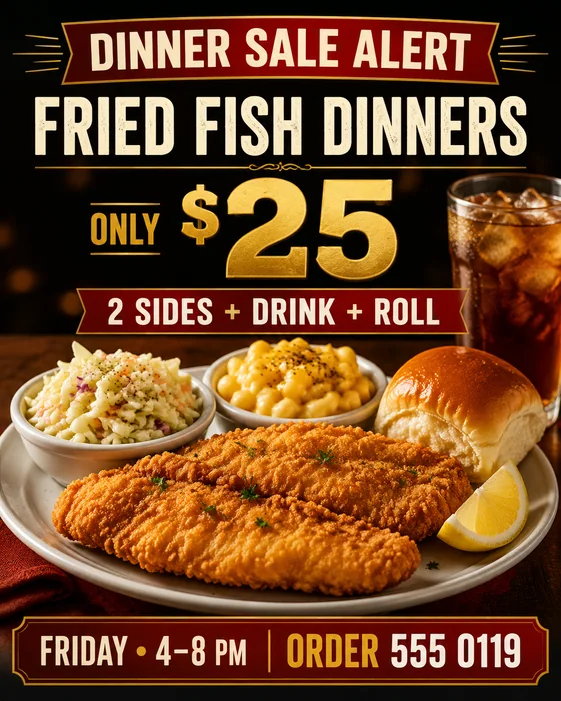
Dinner Sale
Lead with your food, make the offer easy to scan, and give customers a clear way to order.
See prompt & steps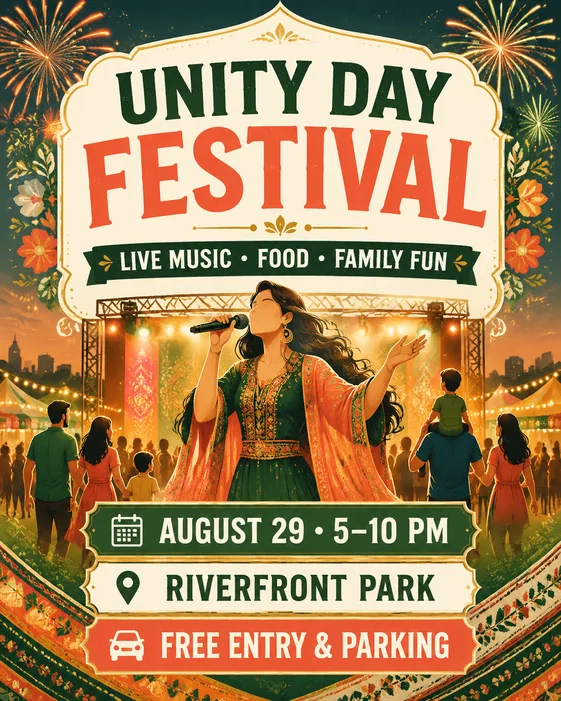
Cultural Festival
Introduce the event, highlight the activities, and keep the date and venue together.
See prompt & steps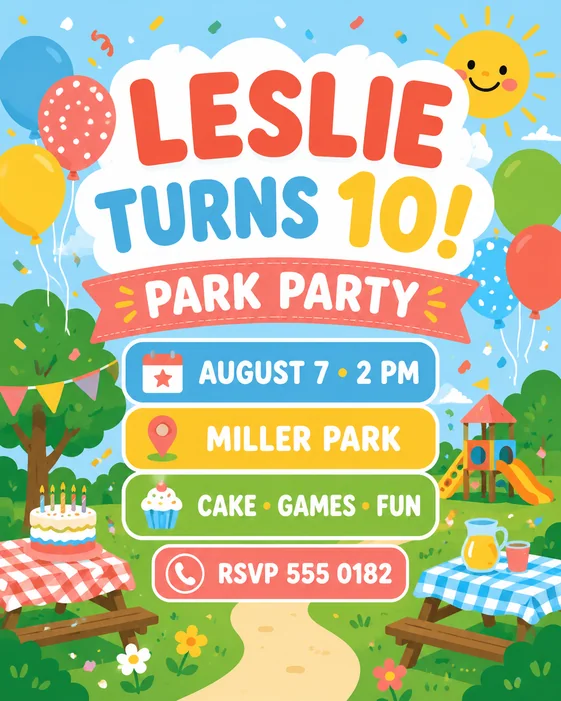
Kids Park Birthday
Start with the birthday headline, then make the party location and RSVP details easy for parents to find.
See prompt & stepsWorkflow
- Choose the flyer purpose
- Write your prompt and add references
- Generate and review a draft
- Edit the flyer through chat
- Check and download the result
Tips
- Keep the main offer or event name short.
- Put required details in priority order.
- Ask for cleaner hierarchy if the first result feels too busy.
Related resources
- Browse flyer templates — Open remixable flyer examples for parties, local services, school fundraisers, birthdays, real estate, events, and local promotion prompts.
- create a flyer — Start from a blank flyer brief or remix a flyer template inside the AI Flyer Generator.
- Free trial and paid plans — Compare credits, download options, and paid plans before choosing how to create your flyers.